The Tortoise and the Hare Race – Scratch Animation Project
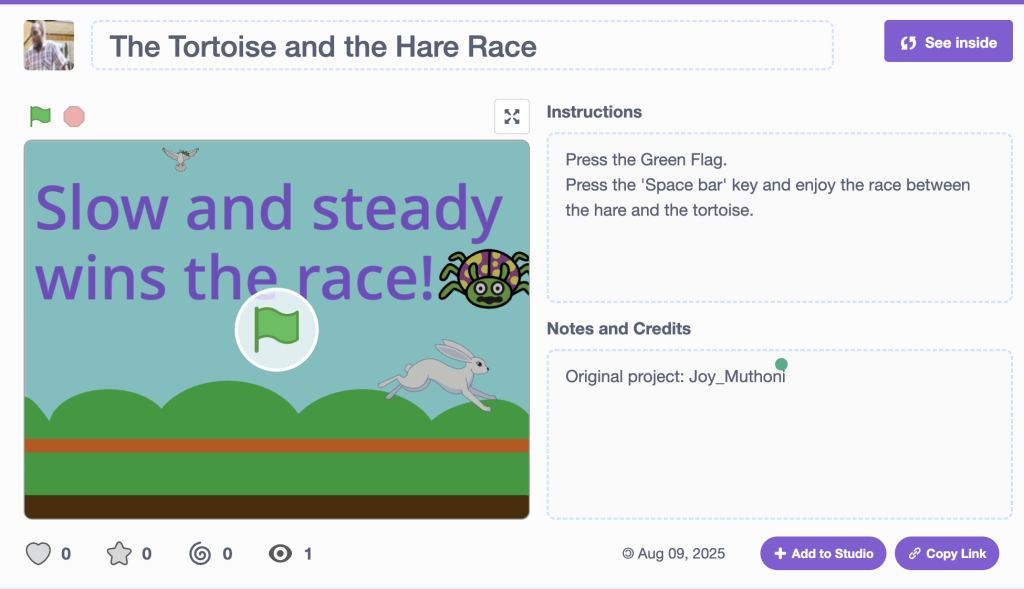
In a recent Grade 5 class project, our students brought the classic fable “The Tortoise and the Hare“ to life using Scratch, a block-based programming platform developed by MIT. This hands-on activity combined storytelling, animation, and basic coding skills in a fun and engaging way.
Project Overview
The goal was simple: recreate the well-known race between the overconfident hare and the slow-but-steady tortoise — but with a twist: students were the animators and programmers! Using Scratch, students designed characters (sprites), programmed movement, and sequenced events to tell the story visually.
Story Summary
In the animation, the hare races ahead quickly, full of confidence. Thinking it has plenty of time to spare, the hare decides to take a nap midway through the race. Meanwhile, the determined tortoise keeps moving steadily forward without stopping. As the hare sleeps, the tortoise slowly but surely passes it — and wins the race, proving that perseverance beats arrogance.
What Students Learned
- Basic coding concepts: motion, events, loops, timing
- Storyboarding: planning the sequence of events before animating
- Creativity: designing backgrounds, characters, and sound effects
- Moral lessons: interpreting the story’s theme of persistence and humility
🎥 Final Animations
Each student added their own creative twist — some added cheering crowds, unique scenery, or even alternate endings! The finished animations were a joy to watch and showcased both technical skills and imagination.
👉 Check out the remix of Joy’s project here: [ Link Here]
Conclusion
This project was a wonderful way to blend computer science with classic literature. It helped students build confidence in programming while encouraging them to think critically and creatively.
“Slow and steady wins the race” — and in our class, every student was a winner for their hard work and creativity!
Dino Runner by Ashbel remix
Dino Runner – Remixed by Washingtone!
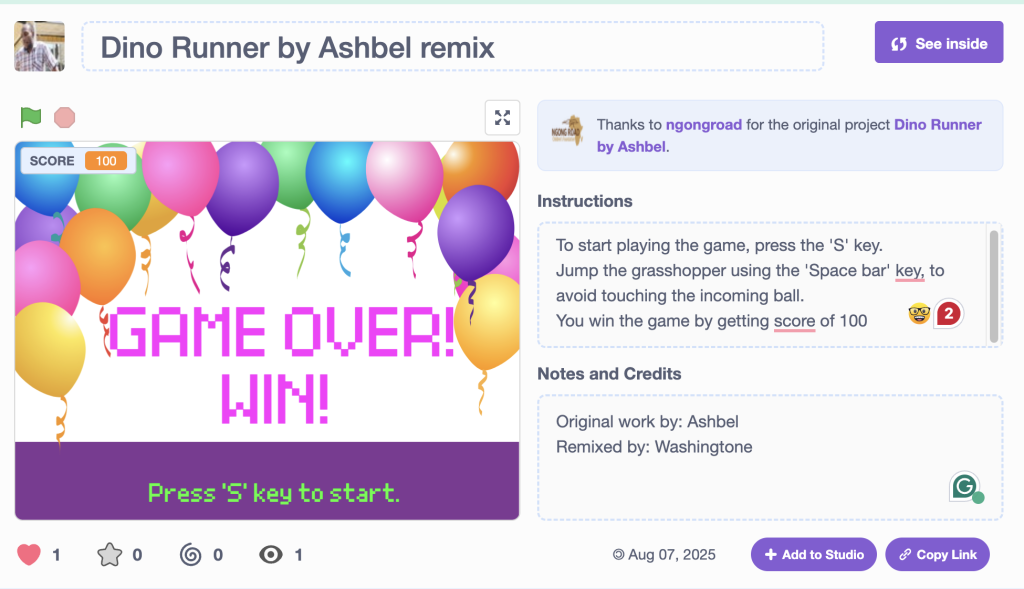
One of our talented students(Ashbel) recently created a fun version of the classic Dino Runner game — and I had the chance to remix it with some new features!
🦖 What’s Dino Runner?
It’s a simple, fast-paced game where a dinosaur dodges obstacles to keep running. The original version was already fun, but I’ve added a few twists to make it even more exciting.
What’s New in the Remixed Version?
Winning Condition:
You now win the game when your score reaches 100. It’s a real challenge — can you do it?
Game Over Condition:
If the ball touches the dinosaur, the game ends instantly. Stay alert!
Dynamic Speed:
As your score increases, the game gets faster. This makes it more intense the longer you play!
Why This Matters
This remix is a great example of how creativity + code can turn a basic game into something more engaging. It’s also a fun way for students to:
- Learn about game mechanics
- Practice logic and conditional statements
- Understand real-world applications of programming
Try It Yourself!
Want to give it a try? [Play the game or download it]
We’re proud of our student’s original version and excited about the remix. More fun and learning projects coming soon!
🎮 Build a Fun Multiple-Choice Quiz in Scratch (No Clones Needed!)
Do you want to create an engaging quiz game in Scratch, but cloning feels too complicated? Here’s a simple way to show a question with three answer sprites, where one gives the correct answer and the others show random incorrect ones. This method uses no clones, just clear sprite logic and shared variables. Great for beginners!
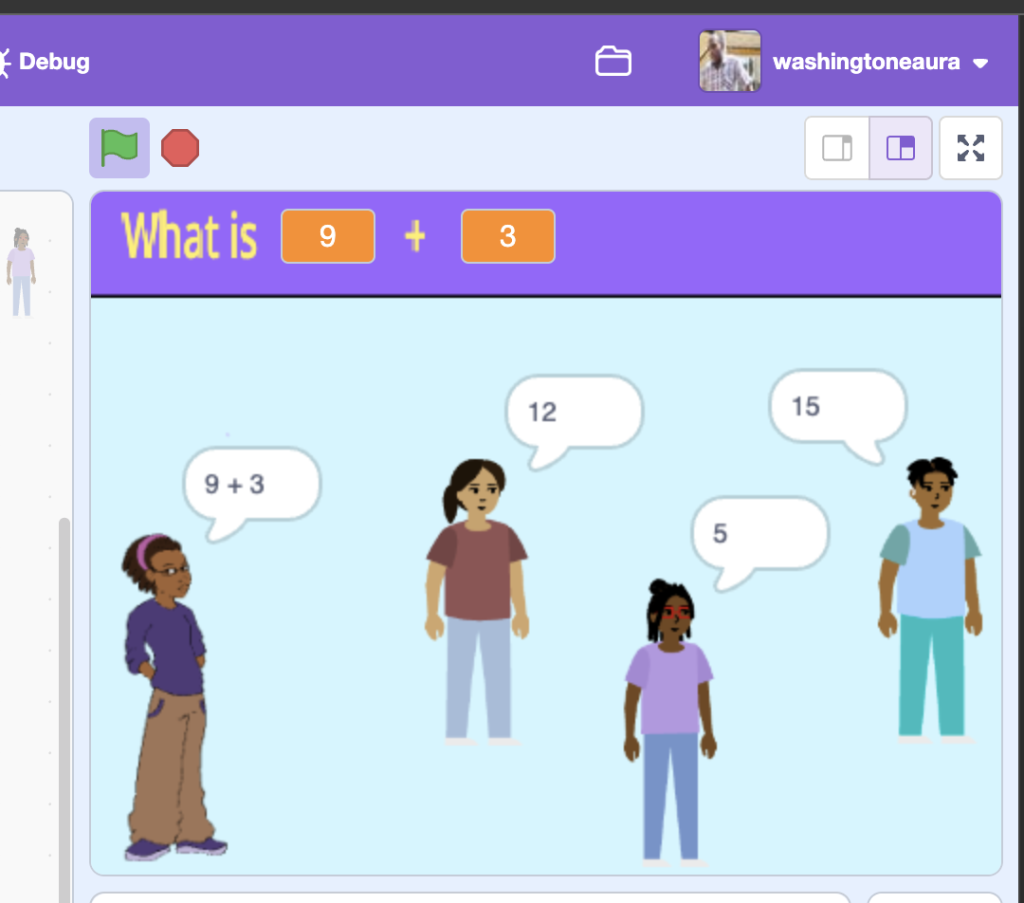
What You’ll Need:
- 3 answer sprites (e.g. Answer1, Answer2, Answer3)
- One variable for each sprite:
MyAnswer(make it “for this sprite only”) - Shared variables:
CorrectAnswerWrong1,Wrong2CorrectIndex(randomly decides which sprite shows the correct answer)WrongUsed(tracks which wrong answer has already been used)
How It Works
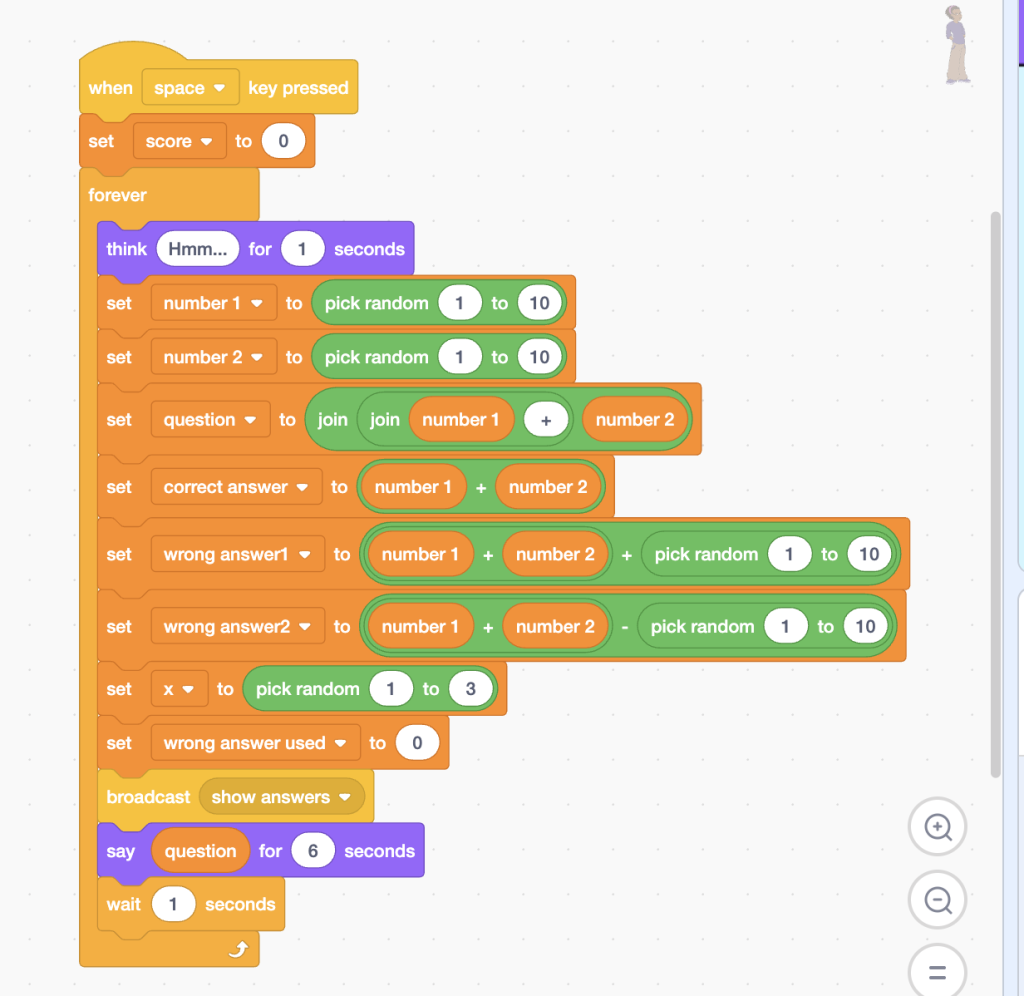
- When the game starts, Scratch randomly selects which of the 3 answer sprites will show the correct answer.
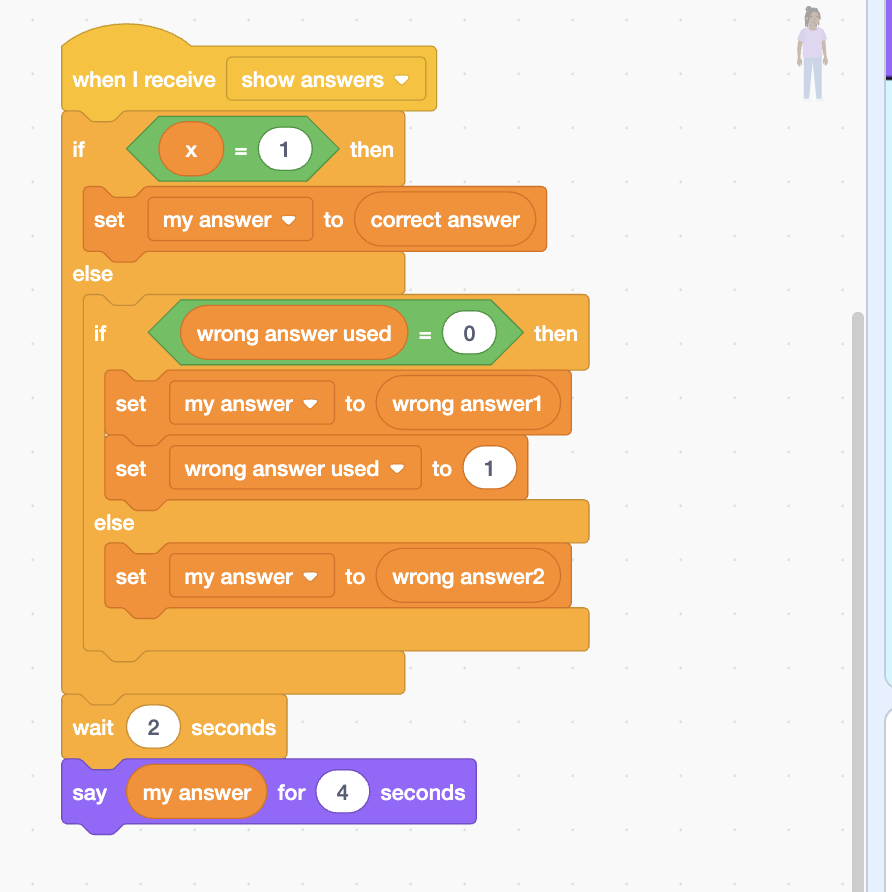
- The other two sprites automatically display the wrong answers (and no duplicates!).
- When any sprite is clicked, it checks if its answer is correct and responds with “Correct!” or “Try again!”
Code Overview
On the Stage (or Controller Sprite):
On Each Answer Sprite:
Want to Extend It?
- Use a list of questions and answers to build a full quiz!
- Add a score counter
- Include sound and costumes to make it even more fun
This simple quiz design is a perfect starting point for Scratch learners. It avoids tricky cloning logic but still delivers a dynamic, fun quiz experience. Great for classrooms, coding clubs, and home learning.
👉 Ready to try it? Open Scratch and start building! Or play existing Washingtone’s game at https://scratch.mit.edu/projects/1198201896/
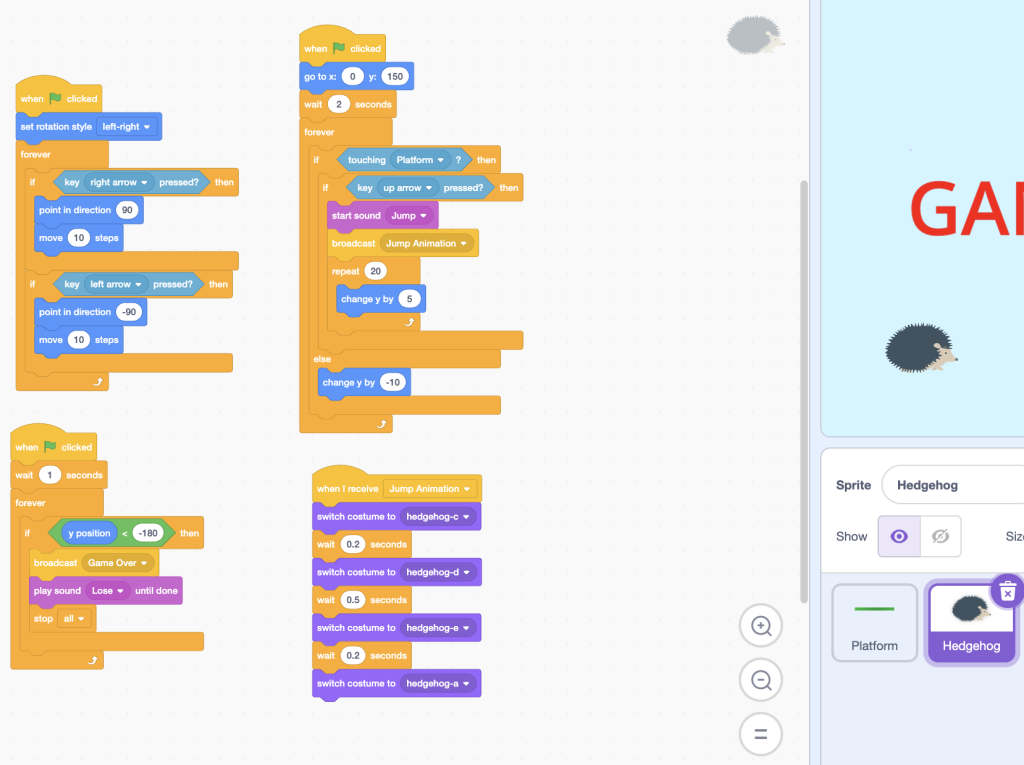
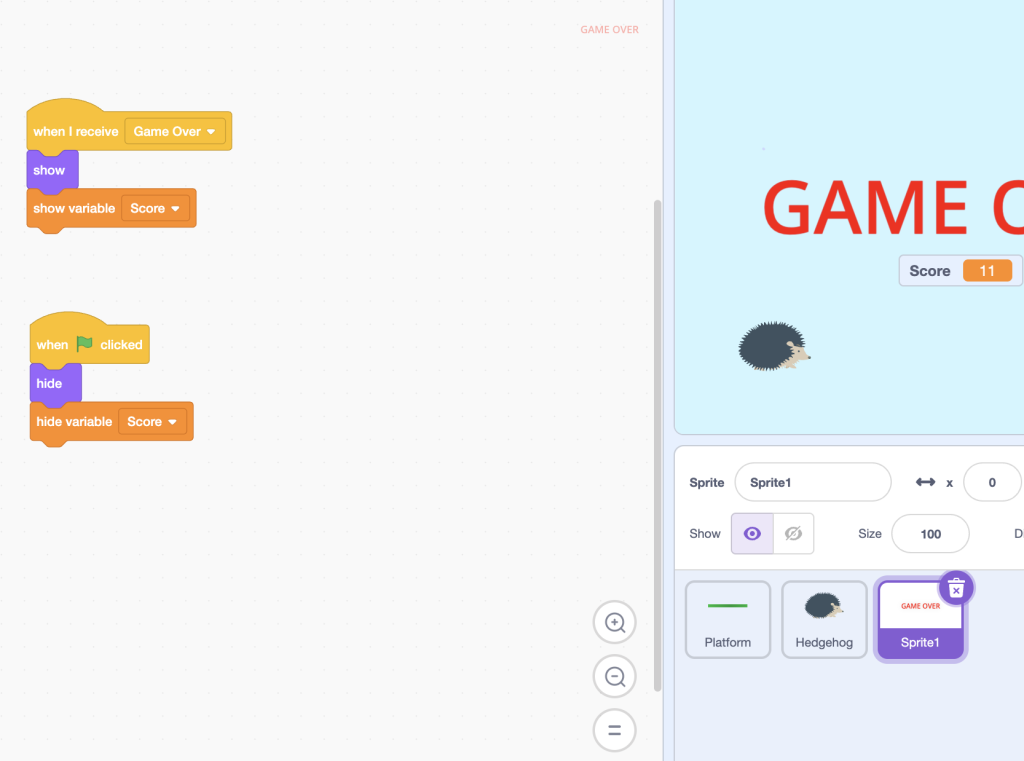
Hog Hop – A Simple Jumping Game remix
Hog Hop is a fun, beginner-friendly Scratch game that teaches you the basics of game design and character control using simple programming blocks.
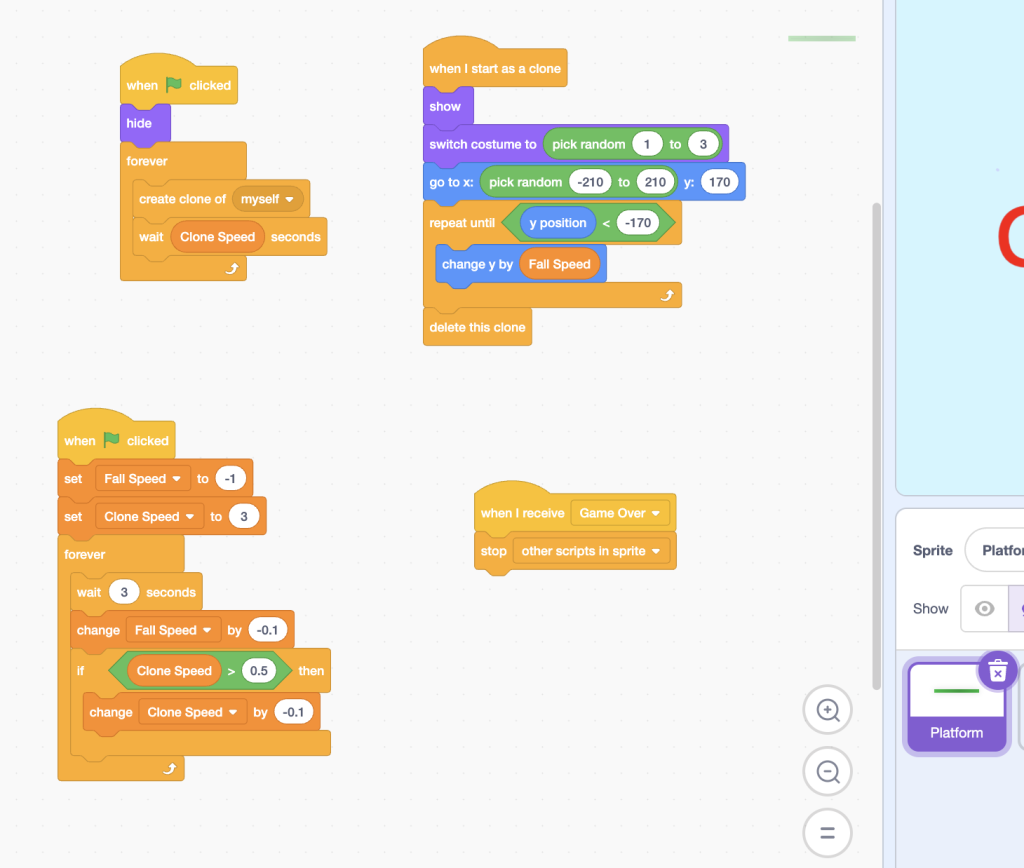
In this remix, you play as a cute hog who needs to hop over moving obstacles to avoid crashing. It’s a one-button game: press the spacebar to jump! The longer you play, the faster the obstacles come, making it more challenging and exciting.
This project is a remix of a simple jumping game created to help students:
- Understand how events like “when space key pressed” work.
- Use motion and gravity simulation (jump and fall).
- Detect collisions between sprites (hog and obstacle).
- Use loops, conditions (
if,else), and variables like score or speed. - Customize sprites, backgrounds, and sounds.
Learning Objectives:
- Learn basic Scratch programming skills.
- Understand how to handle keyboard input and sprite interaction.
- Modify and remix an existing game to make it your own.
- Develop creativity by adding your own sounds, characters, or levels.
Try This!
- Can you add background music?
- Can you make the hog double jump?
- What happens if you add more obstacles?
Subject: Computer Science / Coding / Scratch
Level: Suitable for Grade 4–8
Platform: Scratch