| Source | Description | Link |
|---|---|---|
| American Literature | It includes a wide range of genres, such as fiction (novels, short stories, poetry, drama) and non-fiction (essays, historical documents). | https://americanliterature.com/ |
| BookSmart | All-in-one solution that provides thousands of free books, learning materials, and activities in various languages for K-12 children. | https://booksmart.worldreader.org/ |
| eKitabu | Discover Worldreader’s BookSmart reading experience app—offering free books and fun, educational activities for children aged 0-12 in multiple languages. | https://open.ekitabu.com/ |
| Project Gutenberg | 60,000+ classic books in plain text, HTML, and Kindle formats | https://www.gutenberg.org |
| Open Library (by Internet Archive) | Digital library of over 2M scanned books | https://openlibrary.org |
| Internet Archive Books | Full library of downloadable scanned books (PDF, EPUB, etc.) | https://archive.org/details/texts |
| Standard Ebooks | Professionally formatted open-source ebooks | https://standardebooks.org |
| ManyBooks.net | Curated selection from Gutenberg and others | https://manybooks.net |
| PDF Drive | Free academic and non-fiction PDFs | https://www.pdfdrive.com |
| Snapplify | Snapplify is a digital education platform that provides teachers/students with access to a wide range of media, tools, and resources to enhance their teaching/teaching. | https://nrcf.snapplify.com/ |
| Google Books (Public Domain) | Many classic books are free to download | https://books.google.com |
| WikiBooks | Open-content textbooks on various subjects Focus: Science, math, computing, humanities | https://en.wikibooks.org/wiki/Main_Page |
BookSmart
eKitabu
American Literature
🎮 Build a Fun Multiple-Choice Quiz in Scratch (No Clones Needed!)
Do you want to create an engaging quiz game in Scratch, but cloning feels too complicated? Here’s a simple way to show a question with three answer sprites, where one gives the correct answer and the others show random incorrect ones. This method uses no clones, just clear sprite logic and shared variables. Great for beginners!

What You’ll Need:
- 3 answer sprites (e.g. Answer1, Answer2, Answer3)
- One variable for each sprite:
MyAnswer(make it “for this sprite only”) - Shared variables:
CorrectAnswerWrong1,Wrong2CorrectIndex(randomly decides which sprite shows the correct answer)WrongUsed(tracks which wrong answer has already been used)
How It Works
- When the game starts, Scratch randomly selects which of the 3 answer sprites will show the correct answer.
- The other two sprites automatically display the wrong answers (and no duplicates!).
- When any sprite is clicked, it checks if its answer is correct and responds with “Correct!” or “Try again!”
Code Overview
On the Stage (or Controller Sprite):

On Each Answer Sprite:

Want to Extend It?
- Use a list of questions and answers to build a full quiz!
- Add a score counter
- Include sound and costumes to make it even more fun
This simple quiz design is a perfect starting point for Scratch learners. It avoids tricky cloning logic but still delivers a dynamic, fun quiz experience. Great for classrooms, coding clubs, and home learning.
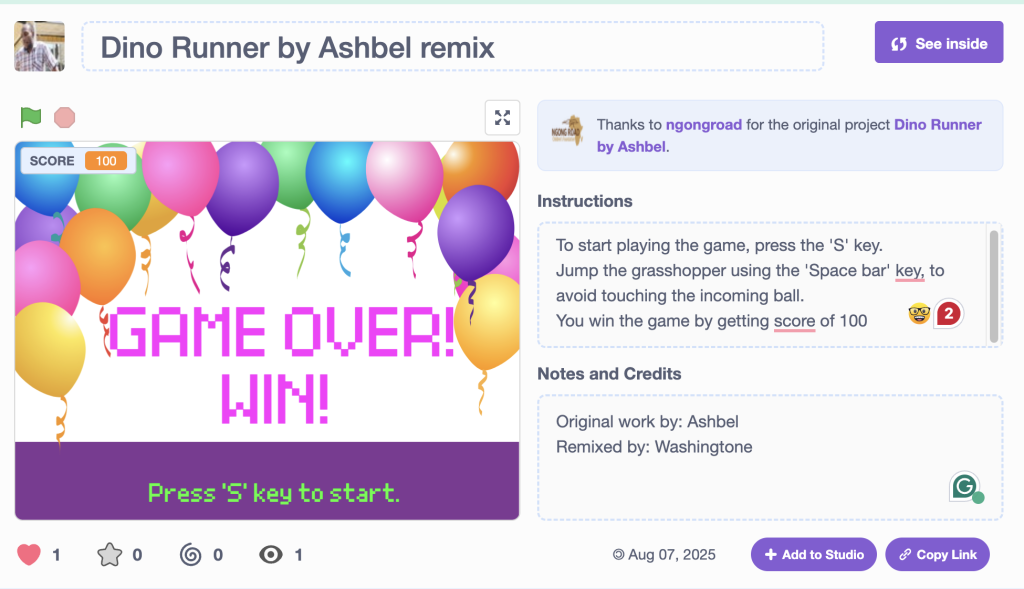
👉 Ready to try it? Open Scratch and start building! Or play existing Washingtone’s game at https://scratch.mit.edu/projects/1198201896/
- « Previous Page
- 1
- 2
- 3
- 4
- 5
- 6
- …
- 11
- Next Page »